

今日同大家分享一個好實用嘅 monitoring 方案 — Prometheus + Grafana 組合。做 IT 嘅你一定遇過呢個情況:server 半夜出事,但係你完全唔知,直到朝早返工俾老細鬧先知。如果有套 Prometheus 監控系統,呢啲悲劇就唔會發生。
Prometheus 係而家最流行嘅開源監控工具之一,配合 Grafana 做視覺化 dashboard,基本上係現代 infrastructure monitoring 嘅黃金組合。Prometheus 本身由 SoundCloud 開發,而家係 CNCF 嘅 graduated project,即係已經係 production-ready 嘅級數。
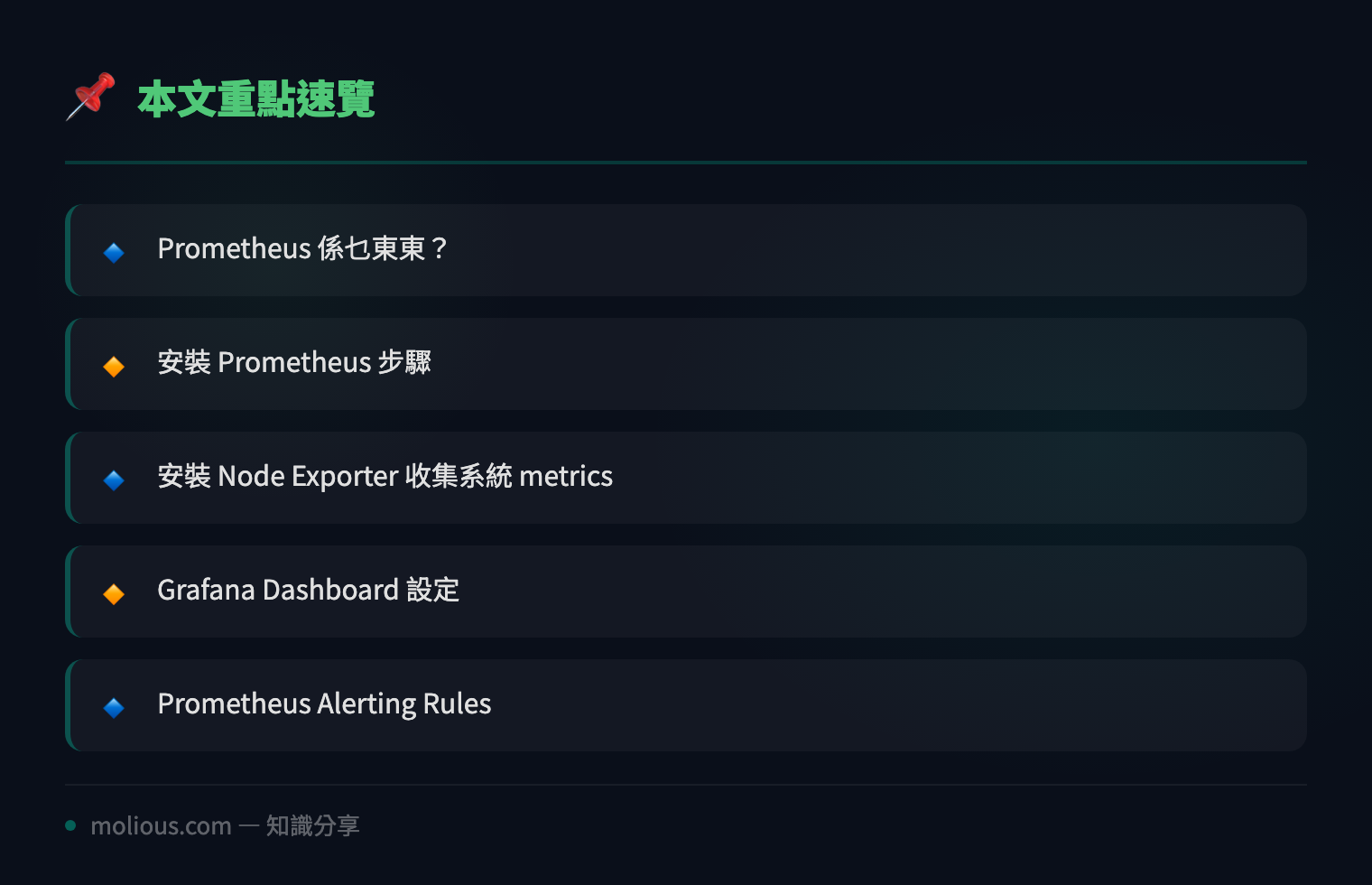
Prometheus 係乜東東?
Prometheus 係一套 time-series database + monitoring system,專門設計嚟收集同儲存 metrics 數據。佢嘅核心概念係「pull model」— 即係 Prometheus server 定期去 target 度拉數據返嚟,唔係等 target push 俾佢。呢個設計令 Prometheus 架構簡單得嚟又好可靠。
Prometheus 嘅數據儲存喺 local disk,用自訂嘅 TSDB(time-series database)格式,效能非常之高。每個 data point 都有一個 metric name + 一堆 labels + timestamp + value,呢個結構令 Prometheus 可以處理極大量嘅 metrics。
安裝 Prometheus 步驟
以下係 Ubuntu 22.04 上面安裝 Prometheus 嘅完整 step-by-step:
Step 1: Download + 解壓 Prometheus
# Download 最新版 Prometheus
wget https://github.com/prometheus/prometheus/releases/download/v2.53.0/prometheus-2.53.0.linux-amd64.tar.gz

# 解壓
tar xvf prometheus-2.53.0.linux-amd64.tar.gz
cd prometheus-2.53.0.linux-amd64/
Step 2: 設定 Prometheus config file
Prometheus 嘅核心設定檔係 `prometheus.yml`,呢度定義咗要 scrape 邊啲 targets:
sudo mkdir -p /etc/prometheus
sudo cp prometheus.yml /etc/prometheus/

# 編輯設定檔
sudo vi /etc/prometheus/prometheus.yml
基本設定例子:
global:
  scrape_interval: 15s
  evaluation_interval: 15s

scrape_configs:
  - job_name: 'prometheus'
    static_configs:
      - targets: ['localhost:9090']

  - job_name: 'node_exporter'
    static_configs:
      - targets: ['localhost:9100']
Step 3: 建立 Prometheus systemd service
sudo tee /etc/systemd/system/prometheus.service << 'EOF'
[Unit]
Description=Prometheus Monitoring System
Wants=network-online.target
After=network-online.target

[Service]
User=prometheus
Group=prometheus
Type=simple
ExecStart=/usr/local/bin/prometheus \
  --config.file=/etc/prometheus/prometheus.yml \
  --storage.tsdb.path=/var/lib/prometheus/ \
  --web.listen-address=0.0.0.0:9090

[Install]
WantedBy=multi-user.target
EOF
Step 4: Create user + set permissions
sudo useradd --no-create-home --shell /bin/false prometheus
sudo mkdir -p /var/lib/prometheus
sudo cp prometheus promtool /usr/local/bin/
sudo chown -R prometheus:prometheus /etc/prometheus /var/lib/prometheus
Step 5: Start Prometheus
sudo systemctl daemon-reload
sudo systemctl enable prometheus
sudo systemctl start prometheus
sudo systemctl status prometheus
搞掂之後打開 browser 去 `http://your-server-ip:9090`,就會見到 Prometheus web UI。可以喺入面試下 query `up` 或者 `rate(prometheus_http_requests_total[5m])`,你會見到 data 開始出現。
Prometheus Node Exporter:收集系統 Metrics
Prometheus 本身唔會自動收集系統 resource 數據,你需要裝 **node_exporter** — 呢個係 Prometheus 生態入面最常用嘅 exporter:
wget https://github.com/prometheus/node_exporter/releases/download/v1.8.0/node_exporter-1.8.0.linux-amd64.tar.gz
tar xvf node_exporter-1.8.0.linux-amd64.tar.gz
cd node_exporter-1.8.0.linux-amd64/
sudo cp node_exporter /usr/local/bin/

# 建立 systemd service
sudo tee /etc/systemd/system/node_exporter.service << 'EOF'
[Unit]
Description=Node Exporter
Wants=network-online.target
After=network-online.target

[Service]
User=prometheus
ExecStart=/usr/local/bin/node_exporter

[Install]
WantedBy=multi-user.target
EOF

sudo systemctl daemon-reload
sudo systemctl enable node_exporter
sudo systemctl start node_exporter
Node exporter default 行喺 port 9100,佢會 expose 大量系統 metrics:CPU usage、memory、disk I/O、network traffic 等等。Prometheus scrape 到呢啲 data 之後你就可以用 PromQL 做 analysis。
Prometheus + Grafana Dashboard 設定教學
Prometheus 本身嘅 web UI 比較陽春,真正靚仔嘅視覺化要靠 Grafana。
安裝 Grafana
# 添加 Grafana repo
sudo tee /etc/apt/sources.list.d/grafana.list << 'EOF'
deb [signed-by=/etc/apt/keyrings/grafana.gpg] https://apt.grafana.com stable main
EOF

# Import GPG key
sudo mkdir -p /etc/apt/keyrings
wget -q -O - https://apt.grafana.com/gpg.key | gpg --dearmor | sudo tee /etc/apt/keyrings/grafana.gpg > /dev/null

# Install
sudo apt update
sudo apt install grafana -y

sudo systemctl enable grafana-server
sudo systemctl start grafana-server
Grafana default port 係 3000。Login 用 `admin/admin`,第一次 login 會叫你改 password。
連接 Prometheus data source
入到 Grafana 之後:
1. 去 **Configuration → Data Sources → Add data source**
2. 揀 **Prometheus**
3. URL 填 `http://localhost:9090`
4. Click **Save & Test**
Import Dashboard
Grafana 最大嘅優勢係有 community dashboard library。你可以直接 import 現成嘅 Prometheus dashboard:
# 喺 Grafana 入面:
# Dashboard → Import → 輸入 Dashboard ID: 1860 (Node Exporter Full)
Dashboard ID 1860 係最受歡迎嘅 Node Exporter Full dashboard,佢會顯示曬 CPU、memory、disk、network 所有 metrics,仲有好靚嘅 graphs 同 gauges。
Prometheus Alerting Rules
監控最重要嘅功能係 alerting — 有事要通知你,唔係齋睇冇用。Prometheus 有內置嘅 Alertmanager,你可以設定 alert rules:
# /etc/prometheus/alert_rules.yml
groups:
  - name: server_alerts
    rules:
      - alert: HighCPUUsage
        expr: 100 - (avg(rate(node_cpu_seconds_total{mode="idle"}[5m])) * 100) > 80
        for: 5m
        labels:
          severity: warning
        annotations:
          summary: "Server {{ $labels.instance }} CPU usage > 80%"

      - alert: ServerDown
        expr: up == 0
        for: 1m
        labels:
          severity: critical
        annotations:
          summary: "Server {{ $labels.instance }} is DOWN!"
然後喺 prometheus.yml 加返呢條 rule file:
sudo mkdir -p /etc/prometheus
sudo cp prometheus.yml /etc/prometheus/

# 編輯設定檔
sudo vi /etc/prometheus/prometheus.yml
0
Alertmanager 可以 send alert 去 Email、Slack、Telegram、PagerDuty 等,令你第一時間知道 infrastructure 出事。
Prometheus + Grafana 實戰 tips
經過實戰經驗,有幾個 Prometheus 使用上嘅 tips 好值得分享:
1. **Storage Retention**:Prometheus default 保留 15 日 data。如果你需要更長 history,用 `–storage.tsdb.retention.time=30d` 參數。長期 storage 可以考慮 Thanos 或者 VictoriaMetrics。
2. **Federation**:大型 infrastructure 可以用 Prometheus federation 架構,每個 datacenter 一個 Prometheus instance,再加一個 global Prometheus 專做 aggregation。
3. **Service Discovery**:Static config 適合小型 setup,但如果你有 dynamic infrastructure(例如用 Kubernetes),Prometheus 支援多種 service discovery:Kubernetes、Consul、EC2、Azure 等,可以自動 detect 新 instance。
4. **PromQL 技巧**:Prometheus 嘅 query language PromQL 非常強大。例如 `rate()` 可以計算 per-second rate,`avg_over_time()` 可以計 moving average,`predict_linear()` 可以預測 disk 幾時會滿。
Prometheus 作為一套成熟嘅監控系統,係每個 infrastructure engineer 都必須掌握嘅技能。由安裝到設定 alert rules 到視覺化 dashboard,成個流程唔算複雜,但價值極大 — 你嘅 server 唔會再喺你瞓覺嗰陣靜靜雞出事。
仲未裝 Prometheus 嘅話,襯今個 weekend 試下啦!
—
📌 延伸閲讀 — 更多 Infrastructure Monitoring 相關技術文章
- iptables 教學:5 步設定 Linux 防火牆保護 Server — 配合監控系統,防火牆係 infrastructure security 基本
- Ansible 自動化部署入門 — 用 Ansible 自動部署 Prometheus + Node Exporter 去大量 server
#Prometheus #Grafana #監控系統 #DevOps #InfrastructureMonitoring #NodeExporter #PromQL #ServerMonitoring